Tampilkan postingan dengan label pdf. Tampilkan semua postingan

Senin, 19 Desember 2016

Download Clean Master Boost App Lock APK for Android

Download Clean Master (Boost $ App Lock) APK for Android


Name: Clean Master (Boost & App Lock)
Developer: Cheetah Mobile
Category: Tools
Version: 5.11.6
Updated: March 2, 2016
Downloads: 4.9K+


Download Clean Master APK 

The Worlds Most Trusted Android Optimizer, Speed Booster, Battery Saver and Free Anti-Virus app, where you can boost the performance of your device by killing unnecessary processes, by closing background apps and by freeing up the storage after deleting junk, Clean Master locks your messages and social apps too. It means that the app doesnt only keep your device in a healthier state; it secures your private content too. Clean Master Helps Accelerate and Clean Up Over 600 Million Phones! It Also Provides Real-time Protection with the Antivirus Engine, and Secures Your Private Data With the AppLocker Function.
Features
? AppLock
? Battery Saver
? iSwipe
? JUNK FILE CLEANING
? MEMORY BOOST
? CPU COOLER
? ANTIVIRUS
? APP MANAGER
? Game Booster
? Autostart Manager
Click on below download button and download APK file for your Android Device 

Rabu, 23 Maret 2016

Download Xodo PDF Reader and Editor APK for Android


Download Xodo PDF Reader and Editor APK for Android


Name: Xodo PDF Reader $ Editor
Developer: Xodo Technologies Inc
Category: Productivity
Version: 3.5.1.
Updated: Feb 29, 2016
Downloads: 5 K+


Download Xodo PDF Reader and Editor APK 


Xodo is an all-in-one PDF reader and PDF editor App for Android Devices. Through this App, you can read, annotate, sign, and share PDFs and fill in PDF forms, plus syncing with Google Drive and Dropbox. Fastest PDF viewing engine, you can write directly on a PDF, highlight and underline text, and more and user can fill PDF forms and sign documents
Xodo is Powerful file organizer and complete PDF support and compatible with Adobe Acrobat® and other PDF viewers supporting standard PDF annotations. Click on below link for download the APK file


Jumat, 19 Juli 2013

ezPDF Reader PDF Annotate Form apk 2 0 1 0 Build 186

ezPDF Reader PDF Annotate Form apk 2.0.1.0 Build 186
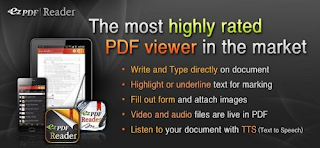
ezPDF Reader PDF Annotate Form apk, Audio & Video Multimedia PDF Reade.

ezPDF Reader is the Best Selling and the Best Rated Multimedia PDF viewer, annotator (palm rejection for Samsung s pen and HTC scribe pen), and form filler.
More Features
- Text View with reflow function. Night / Day Mode, Able to change font size and color (text and background)
- Thumbnail image view
- Landscape view OK
- Search (Options for case sensitive, whole word or part, exact word, and/or operator) and highlighted result
- Auto Fit Zoom for multi-column article or removing white margin
- Crop or Rotate page
- Scroll lock / unlock
- Able to select text in PDF, save to clipboard, web search, share with other apps, check with dictionary (Support ColorDict)
- Support hyperlinks (Go to page within the PDF, Call PDF to PDF, URL links to webpage)
- Open Standard Password-protected PDF (Important! If the file is protected with the DRM applied to PDF file, this would not open the file.)
- Intuitive bookmarking & viewing bookmarks with its description and ribbon & thumbnail image
- Auto Page Turn (in secs) or Auto Scroll (up a screen full) 
- Table of Contents
- Zoom in & out (Pinch or double tap)
- Page navigation with thumbnail scroll images
- Jump to a specific page by its Page Number
- Able to change reading direction - Arabic, Chinese, Japanese & Hebrew
- Undo & Redo button
- Support Trackball
- Page Turning Effect (Flip); Can be turned off
- FREE PDF Conversion Program for PC (link to download)
- 5-point-tap : Annotation Tool On or Off
- 4-point-tap : Notification Bar On or Off
- 3-point-tap : PDF view or Text Reflow view
- 2-point-tap : Reduces the page to fit the width when enlarged
- 1-point-tap : Toggles Menu On or Off
Whats in this version:
2.0.1.0 
- Page Label is supported. 
- State about double page viewing is remembered in PDF View. 
- Menus is grouped for accessibillity improvement. 
- Last punctuation is ignored when you use context menu for selected text like Search, ColorDict. 
- Bugfix. 
Download Here